HDR video has become increasingly common as more movies, TV shows, and personal media libraries move toward higher resolutions and wider color ranges. However, having an HDR monitor alone does not guarantee a great viewing experience. The video player also needs to correctly handle HDR formats, tone mapping, audio tracks, and different types of media files.
Vivid Player is designed with these requirements in mind, making it an interesting option for Windows users who want more control over high-quality video playback.
A Player Built Around HDR Content
One of the main attractions of Vivid Player is its focus on HDR playback. The player supports several major HDR technologies, including HDR10, HDR10+, HLG, Dolby Vision, and HDR Vivid.
This is particularly useful for people who maintain their own collections of high-quality movies. Instead of converting files into more conventional formats, users can play a wider range of HDR content directly.
Tone mapping is another important consideration. Not every monitor has the same HDR capabilities, and brightness levels can vary significantly between displays. A capable video player can help adapt HDR content to the display being used, producing a more consistent viewing experience.
More Than Basic MKV and MP4 Playback
Modern media libraries often contain much more than ordinary MP4 files. Users may have MKV movies with multiple audio tracks, Blu-ray content, subtitles, high-bitrate 4K videos, or files stored on another device.
Vivid Player is built to handle a broad selection of these media scenarios. That makes it especially relevant for users who have gradually built large local movie libraries and want one player that can handle different formats without constantly switching software.
Support for network-based media is another useful feature. If your movies are stored on a NAS or media server, having a player capable of working with network content can make a home entertainment setup much more convenient.
Audio Matters Too
High-resolution video is only part of the home theater experience. Audio formats are equally important, particularly for users with surround-sound systems.
Vivid Player supports advanced audio technologies such as Dolby Atmos, Dolby TrueHD, and DTS-HD Master Audio. For users who have compatible equipment, this helps preserve more of the original movie experience rather than reducing everything to basic stereo playback.
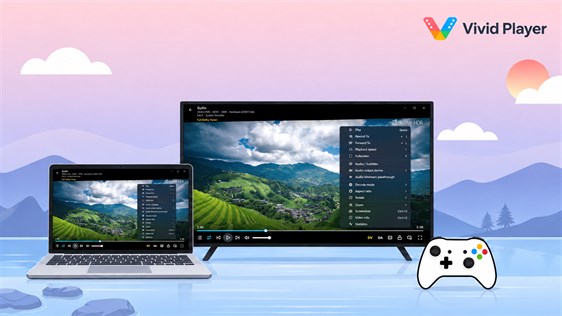
Getting Started With Vivid Player
Users interested in unlocking the full version should first check which license option best matches their needs. Prices and available activation options can vary, so comparing them before purchasing can be useful.
For example, users looking for a Vivid Player CD Key can also find listings on marketplaces such as z2u.com, where different digital products and activation options can be compared. As with any software key, it is important to check the product description, applicable region, activation requirements, and seller information before ordering.
Is Vivid Player Right for You?
Vivid Player makes the most sense for users who care about HDR quality and maintain their own high-resolution media collections. Someone who only occasionally watches standard MP4 videos may not need all of its capabilities.
For movie enthusiasts using HDR displays, NAS storage, surround-sound systems, or large local media libraries, however, those additional features can be much more valuable.
Ultimately, choosing a video player comes down to your hardware and viewing habits. But as HDR becomes increasingly common, software designed specifically around modern video and audio formats is likely to become more important for Windows home entertainment.
Share this content:

Leave a Reply